Normal – no active emergencyUpdated 27 Oct 2026, 3:25am

How AMERG works

A short guide to Alston Moor Emergency Response Group and this website, in 21 slides. Each one links to the page it describes.

Slide 1 of 21

Our community emergency website

What amerg.org offers, and how it all works.

This guide was made for the climate change film and discussion at Alston Town Hall on Sunday 1 November 2026. Use the Next button to go through it, or download the slides.

QR code that opens amerg.org
amerg.orgShow this to a friend – their phone camera opens the website.

Slide 2 of 21

Why this matters: our weather is changing

  • Wetter wintersThe UK has generally become wetter, particularly in winter.
  • Heavier downpoursWarmer air holds about 7% more moisture for every degree of warming.
  • Stronger stormsMost projections show winter windstorms increasing slightly in number and strength.
  • Still cold snapsSeverely cold winters are still likely – just less often.

On Alston Moor that means more power cuts, blocked roads, flooding and people cut off. Being ready – and looking out for each other – matters more every year.

Source: Met Office, “The influence of climate change on severe weather” (2024).

Slide 3 of 21

Who we are

  • Local volunteersResidents, council members and emergency responders working together.
  • Three emergency hubsAlston Town Hall, Nenthead and Garrigill village halls – each with a generator.
  • No one left behindWe check on vulnerable neighbours and match help to people who need it.
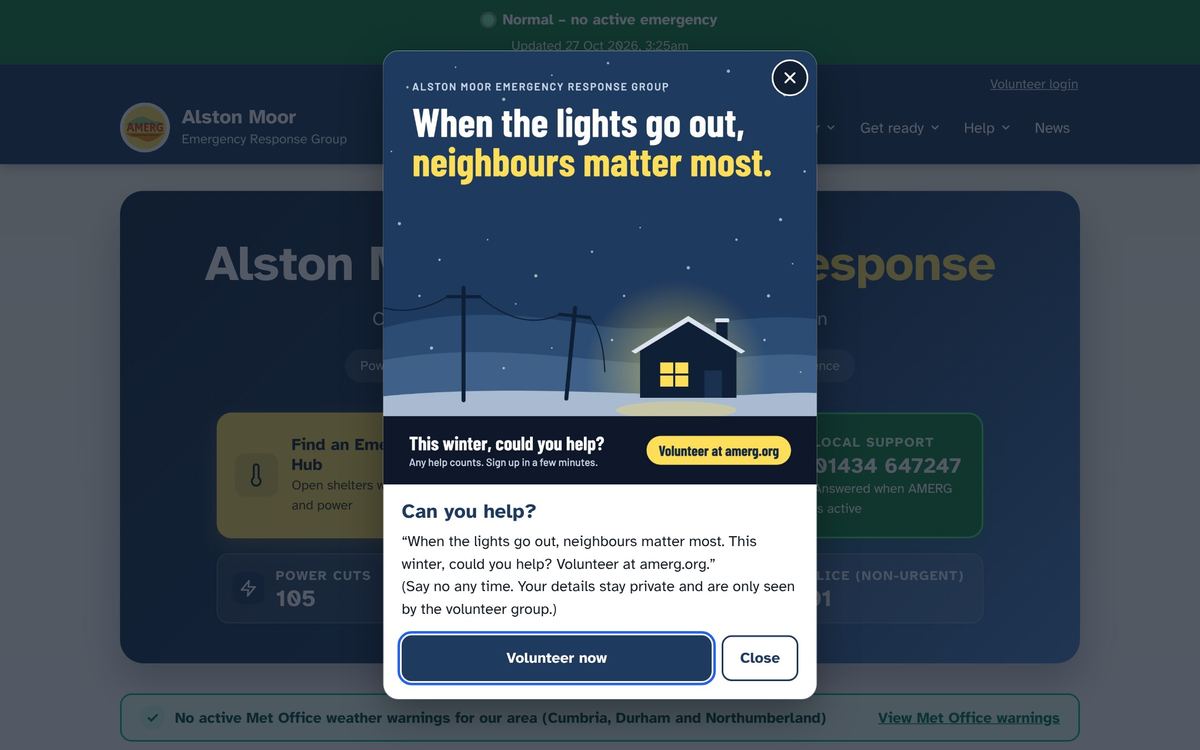
The amerg.org home page with a pop-up asking for volunteers
The pop-up visitors see this winter, asking for volunteers.

Slide 4 of 21

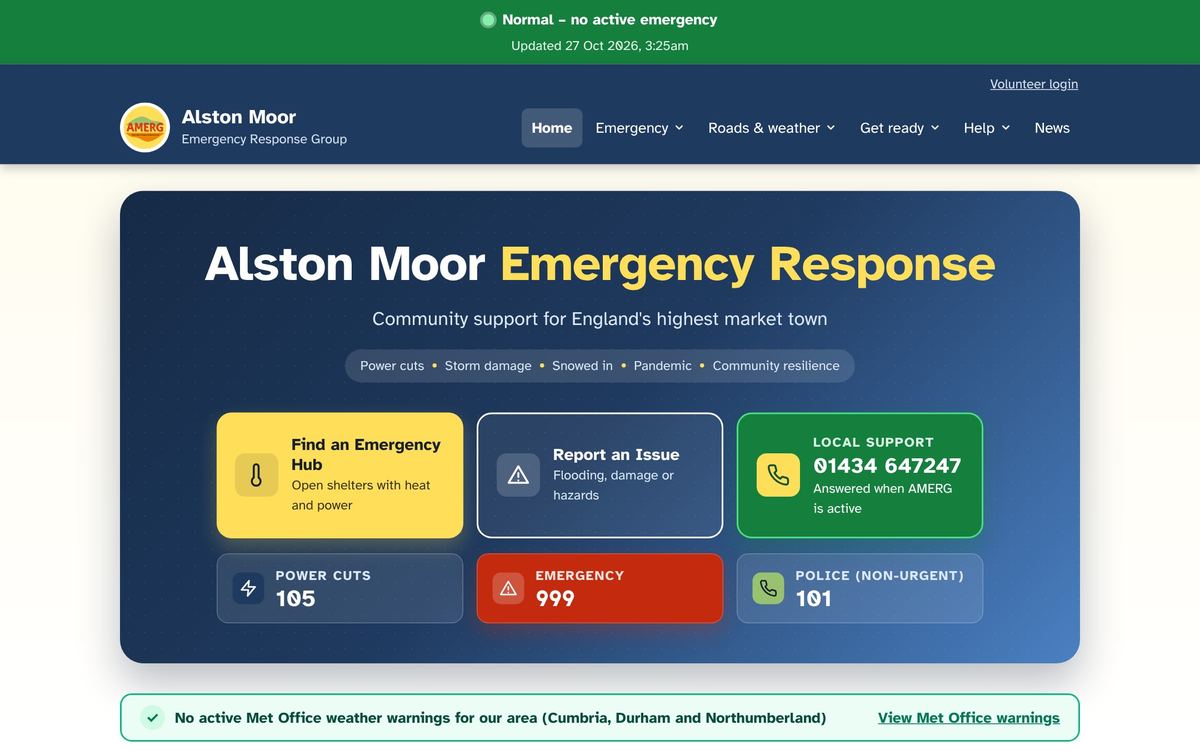
Everything on one front page

  • Find a hubWarm places with power.
  • Report an issueFlooding, damage or hazards.
  • Key numbers999, 105 for power cuts, 101 police and our local line.
  • Live warningsMet Office warnings for our area.
The amerg.org home page

Slide 5 of 21

The banner tells you what is happening

  • Green – NormalNo active emergency.
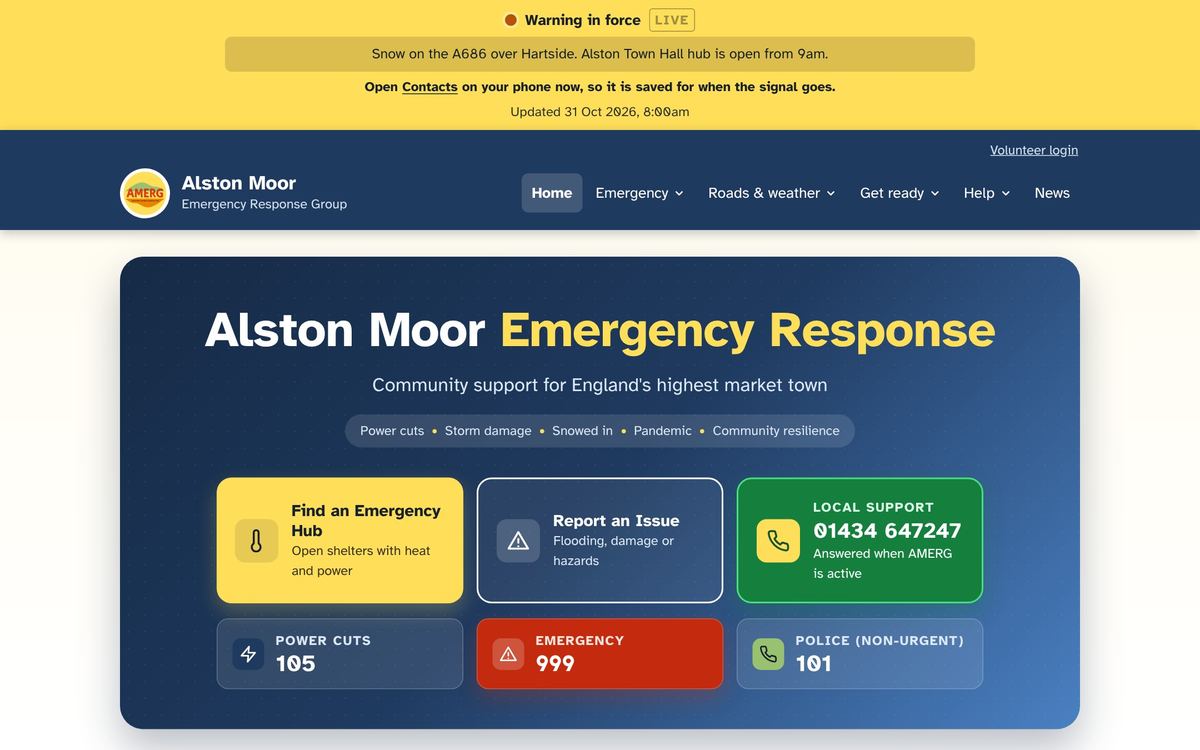
  • Yellow – WarningA Met Office warning for our area, or a message from the group.
  • Red – EmergencyAMERG is active. Hubs and help are being organised.

It changes by itself when the Met Office issues a warning for Cumbria, Durham or Northumberland.

Example of the yellow Warning banner at the top of the website
Example only – a Warning banner with a message.

Slide 6 of 21

Emergency hubs: warmth, power and a hot drink

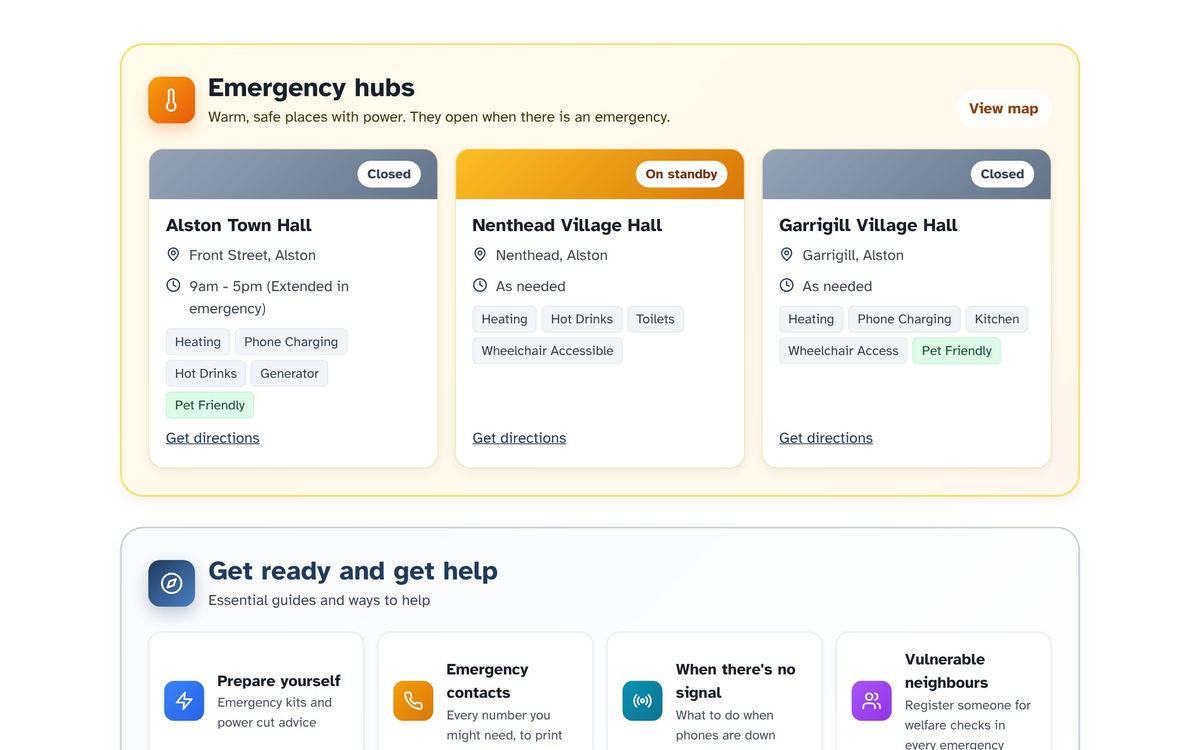
  • Open, On standby or ClosedEach hub shows its status.
  • What each one hasHeating, phone charging, hot drinks, toilets, wheelchair access, pets welcome.
  • How to get thereA map and directions to each hall.
The emergency hubs on the home page

Slide 7 of 21

Key numbers, and reporting a problem

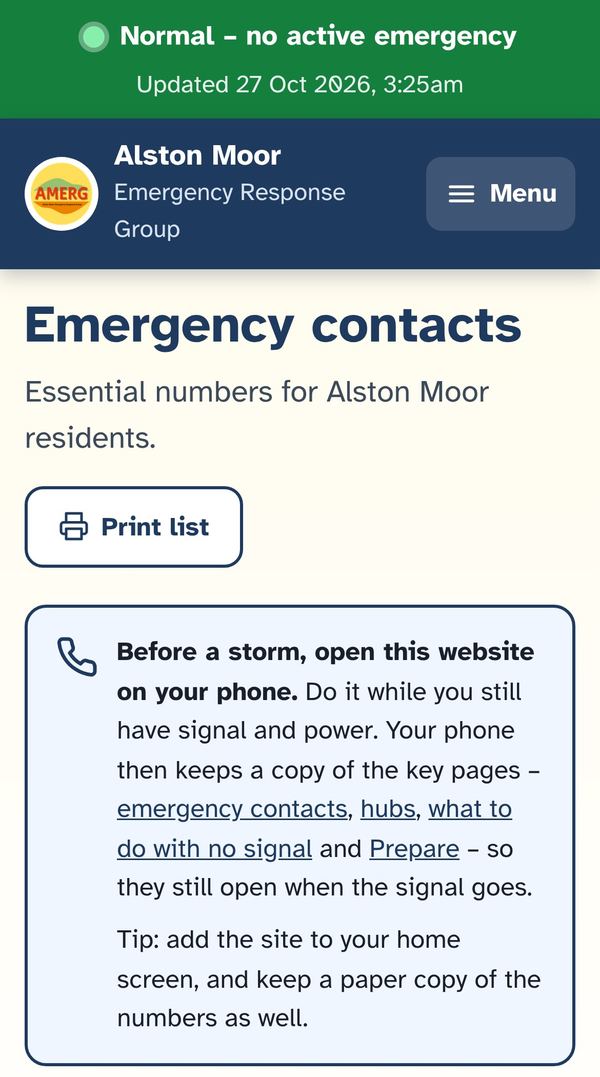
  • Emergency contactsPower, gas, water, roads, flooding, health. Tap to ring, or print the list.
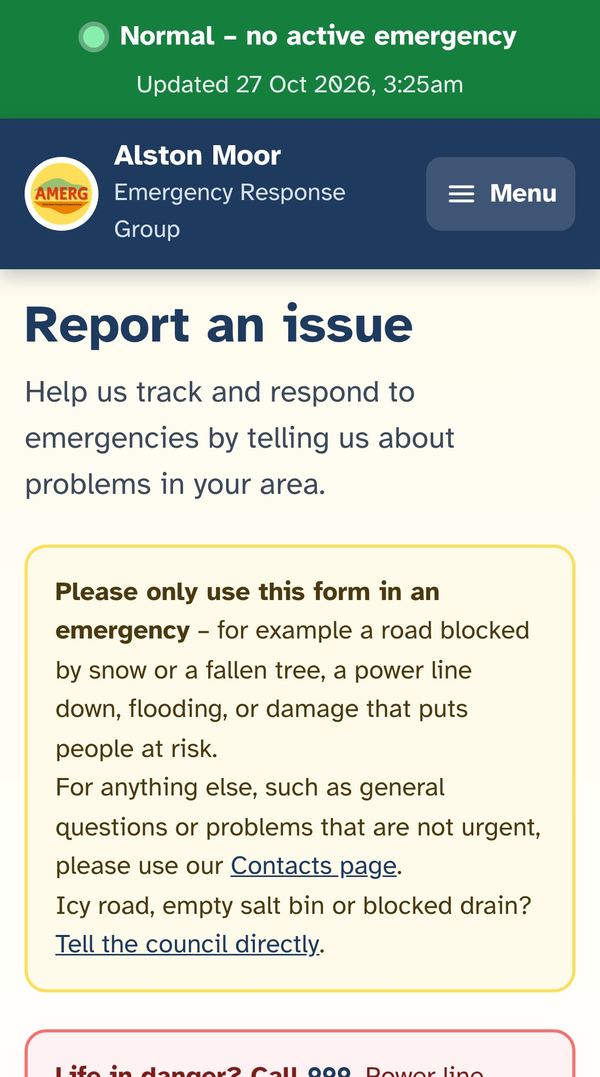
  • Report an issueA tree down, a power line down, flooding or damage. Add up to 3 photos and a what3words spot.
  • The group is told straight awayYour report goes to the AMERG core group by email.
The Emergency contacts page on a phone
Emergency contacts
The Report an issue page on a phone
Report an issue

Slide 8 of 21

Roads and weather live – check before you set off

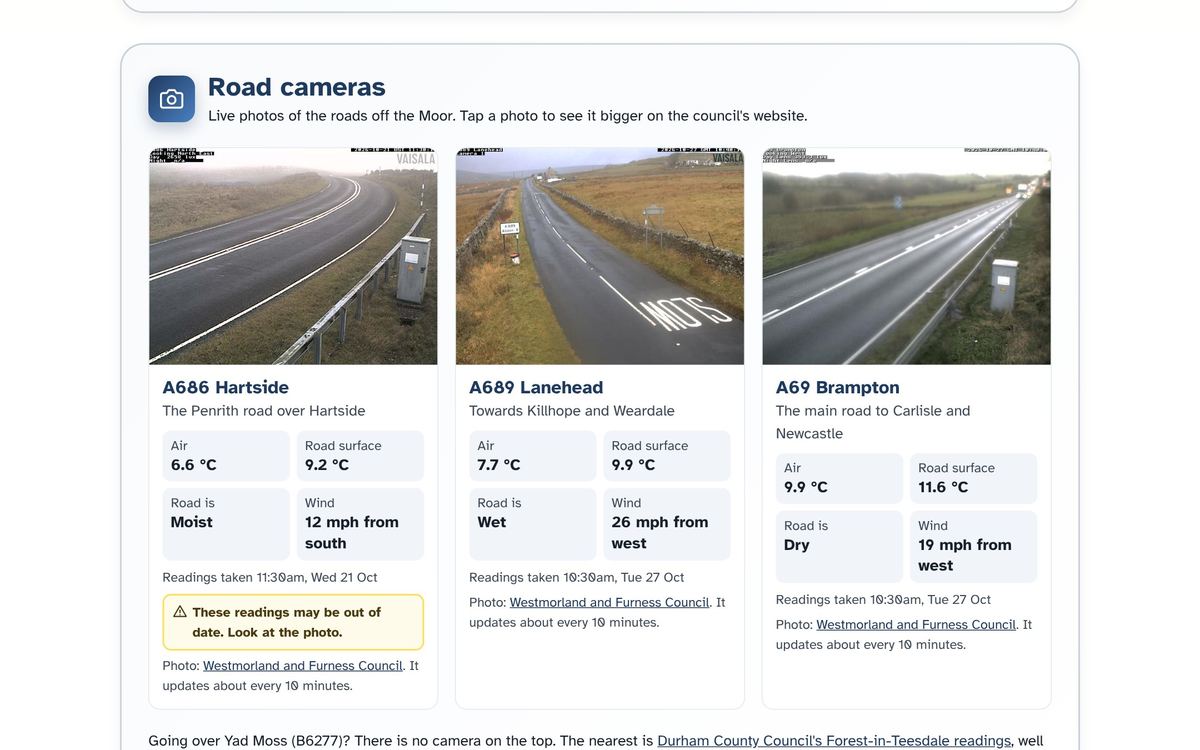
  • Road camerasA686 Hartside, A689 Lanehead and A69 Brampton, with road temperatures.
  • Gritting and salt binsToday’s gritting map and your nearest salt bin.
  • Road WatchLinks to the local Facebook groups – often the quickest news.
Live road cameras on the Roads and weather page

Slide 9 of 21

A week’s forecast for Alston itself

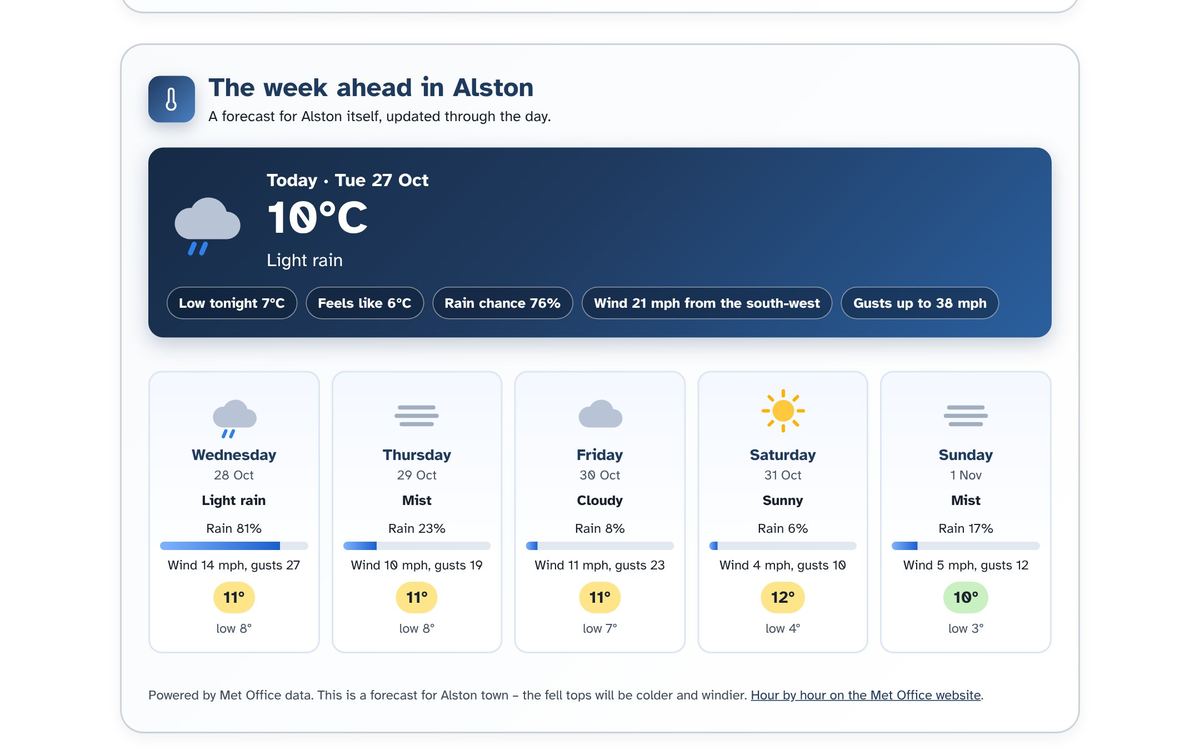
  • Alston’s own forecastFrom the Met Office, updated through the day.
  • Forecast videoThe latest Met Office forecast, every day.
  • Warning coloursWhat yellow, amber and red mean – in plain words.
  • The riverRiver South Tyne level at Alston.
The week ahead in Alston on the Met Office page

Slide 10 of 21

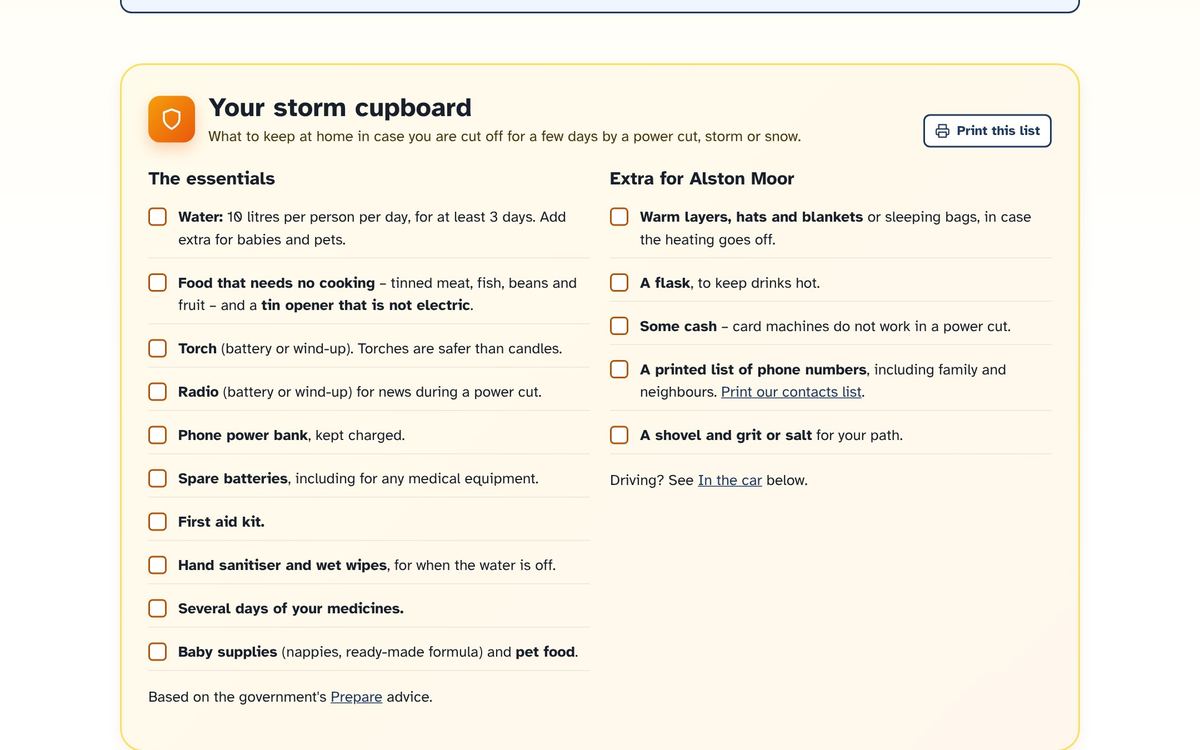
Get ready: your storm cupboard

  • A checklist to printWater, food, torch, radio, power bank, medicines.
  • Extra for Alston MoorWarm layers, a flask, some cash, a shovel and grit.
  • In the carA kit in case the roads over the Moor close.
The storm cupboard checklist on the Prepare page

Slide 11 of 21

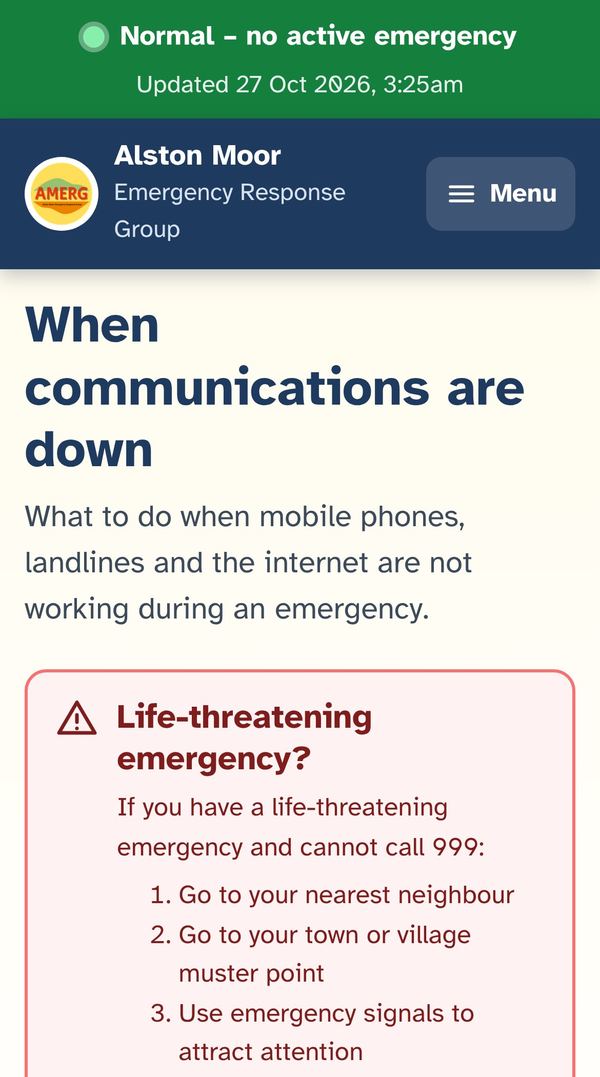
When the phones and internet go down

  • Muster pointsWhere to go in Alston, Nenthead, Garrigill, Leadgate and Slaggyford.
  • RadioBBC Radio Cumbria frequencies, CB and PMR446 channels.
  • Signals and runnersWhistle signals and volunteer message runners.

Top tip: before a storm, open amerg.org on your phone while you still have signal. Your phone keeps a copy of the key pages, so they still open when the signal goes.

The When there is no signal page on a phone

Slide 12 of 21

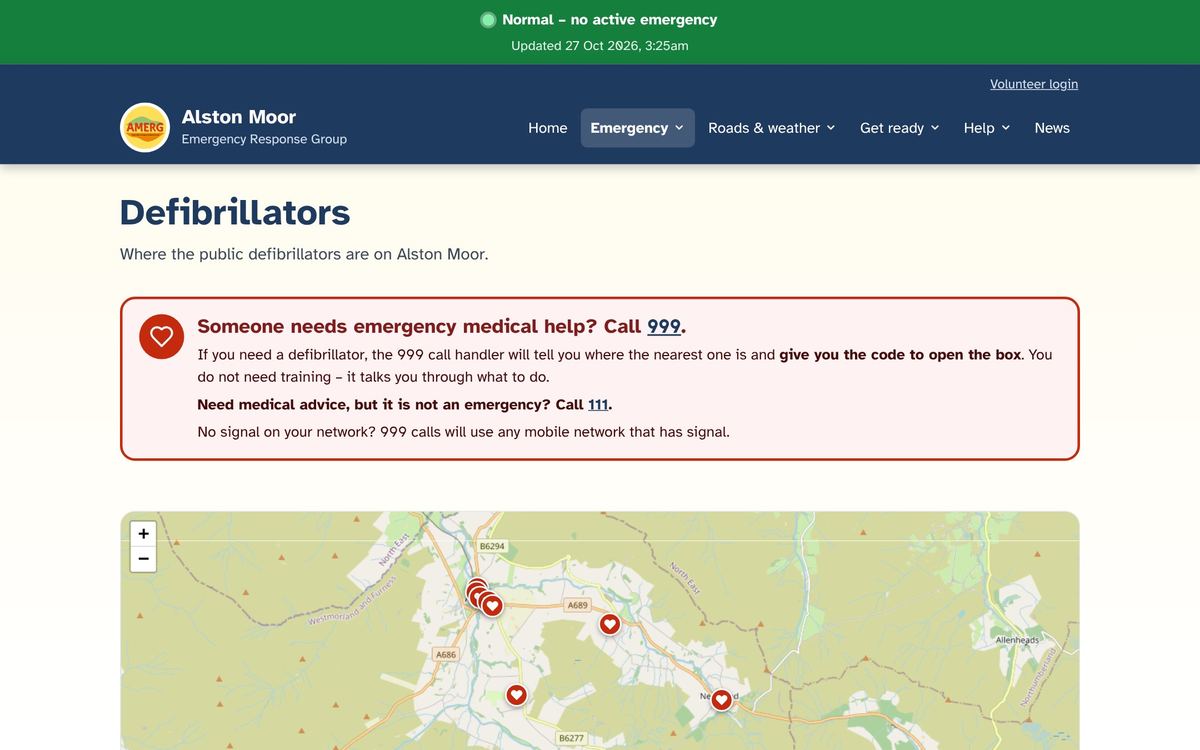
Defibrillators on Alston Moor

Call 999They tell you where the nearest one is and give you the code for the box.

  • A map of every public defibrillatorIn Alston, Garrigill, Nenthead and beyond.
  • No training neededThe machine talks you through it. There is also a link to a free 15-minute CPR course.
The Defibrillators page with a map

Slide 13 of 21

Getting help: three simple forms

  • Ask for helpI need help now – food, heating, a lift or collecting medicine.
  • Register for welfare checksSomeone should be checked on in every power cut or emergency.
  • Offer to volunteerI can help other people in an emergency.

All three are under Help on the menu. Details are private – only the AMERG core group can see them.

Slide 14 of 21

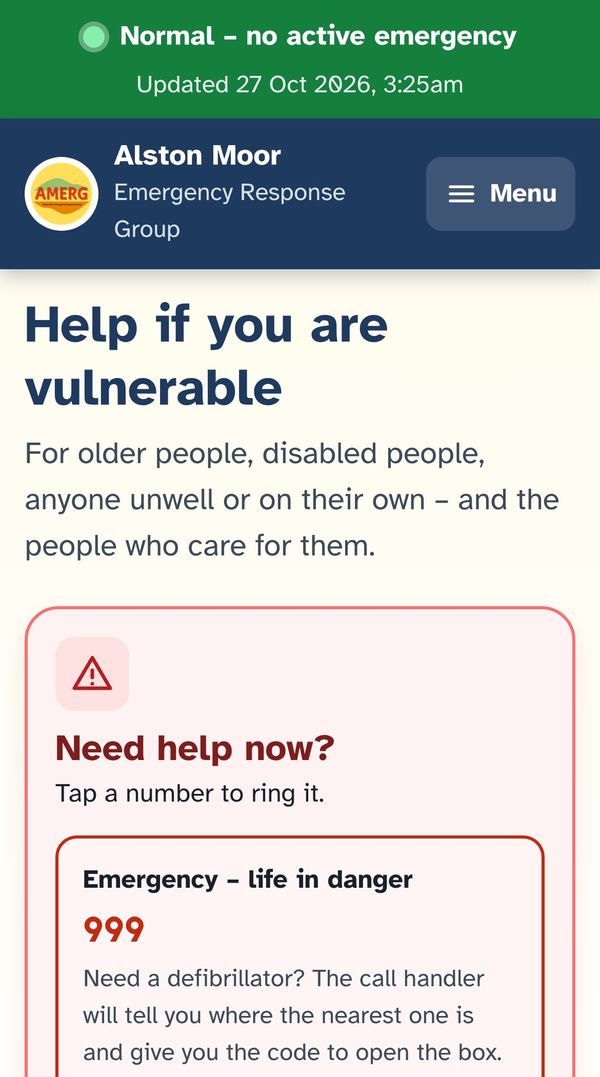
Help if you are vulnerable

  • Who to ringTap a number: 999, 111, 105, adult and children’s services, Samaritans.
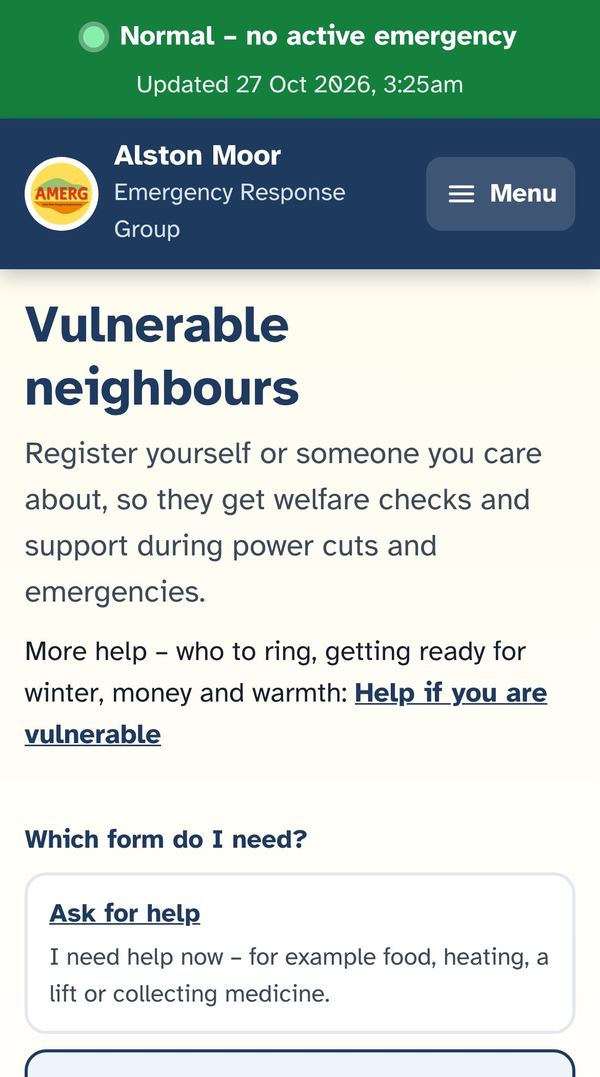
  • Vulnerable neighbours listWe check on everyone on the list in an emergency – and in weather warnings if they ask.
  • Get ready before winterPriority Services Registers, free fire safety visits, care alarms and digital landlines.
The Help if you are vulnerable page on a phone
Who to ring
The Vulnerable neighbours page on a phone
Vulnerable neighbours list

Slide 15 of 21

How volunteering works

  1. Offer helpFill in the Volunteer form: your area and what you can offer.
  2. We check itThe core group looks at your offer.
  3. You get a loginAn email with your volunteer login.
  4. You are askedIn an emergency we may email you a job in your area.

What you can offer: 4x4 vehicle · chainsaw or tree clearance · a generator to share · checking on neighbours · a bed for the night · a warm room for a few hours · first aid · collecting or delivering supplies · IT skills · bulk cooking · other skills.

Slide 16 of 21

What a volunteer sees after logging in

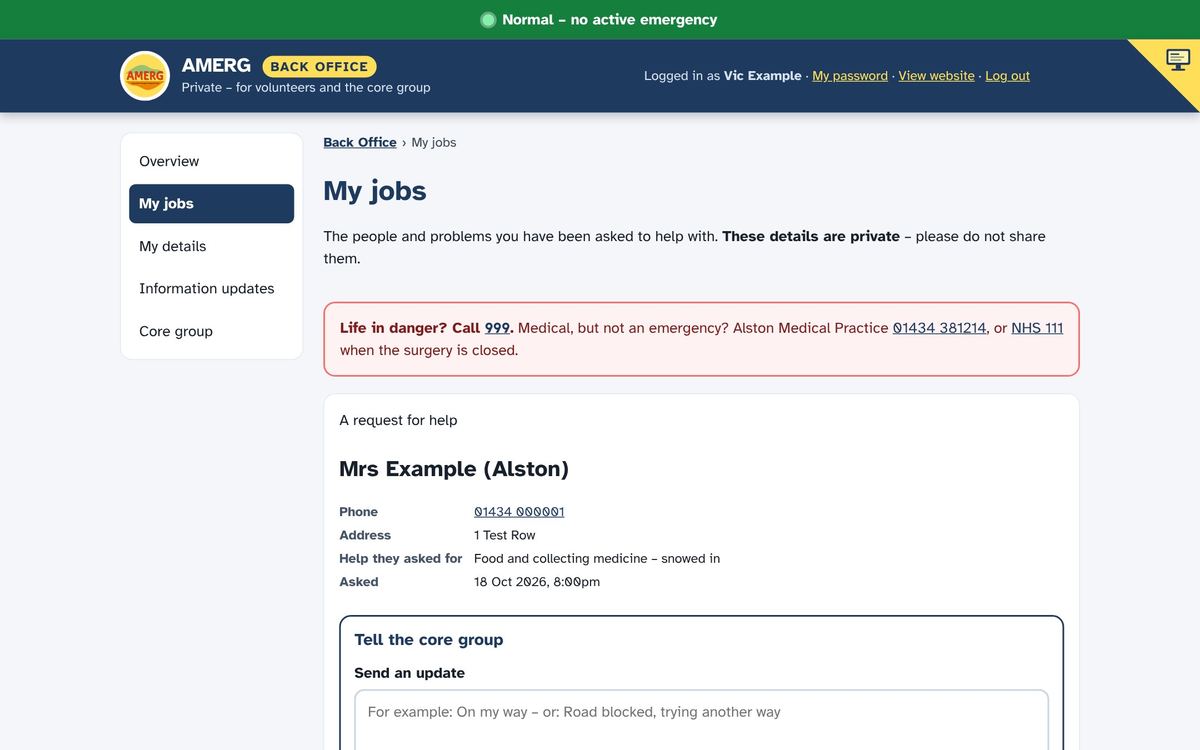
  • My jobsWho needs help, where, and what with. Mark it done.
  • My detailsKeep your details up to date. Say if you are away.
  • UpdatesNews from the core group, and emails when the banner changes.
Example of the My jobs page a volunteer sees
Example only – made-up people.

Slide 17 of 21

Behind the scenes: the Back Office

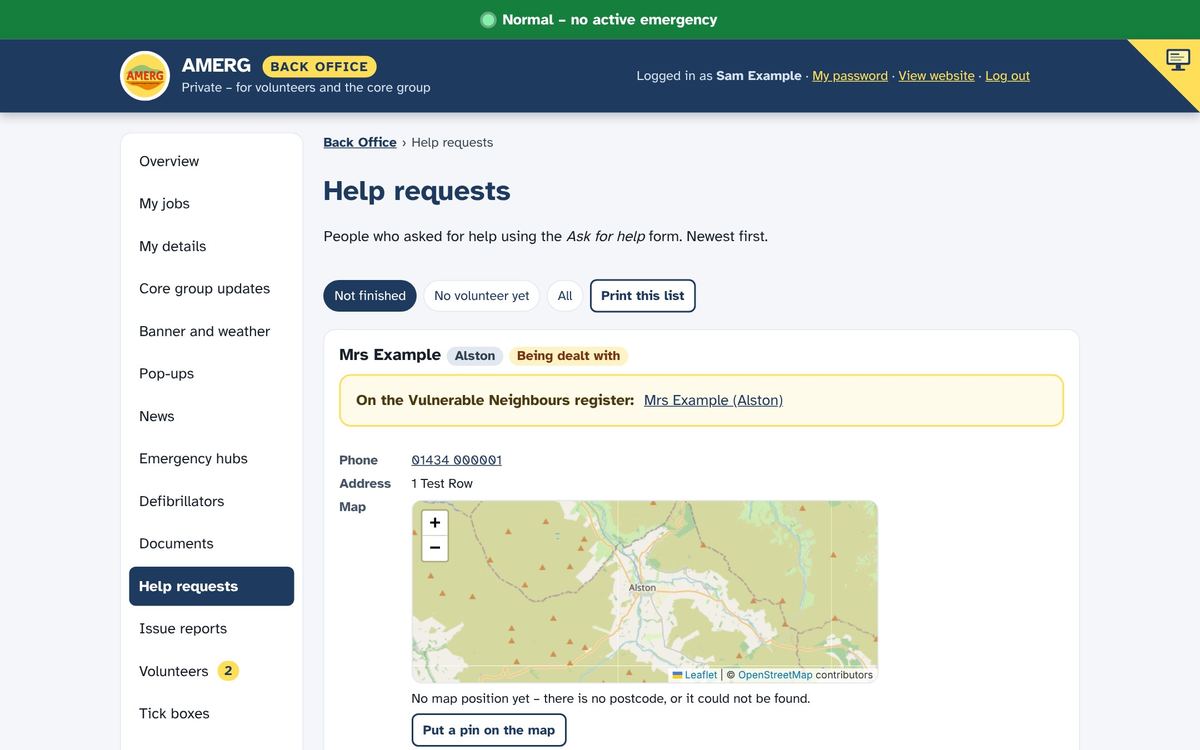
  • Help requests and reportsSee each one, pick a volunteer, track it to done.
  • Vulnerable neighboursThe welfare check list, by village.
  • One mapRequests, reports and volunteers together.
  • Banner and hubsChange the banner, open or close a hub.
Example of the Help requests page in the Back Office
Example only – made-up people.

Slide 18 of 21

How it all fits together

  1. Someone asksA resident asks for help or reports a problem on amerg.org.
  2. Core group toldAn email goes straight to the core group.
  3. Volunteer askedA nearby volunteer is chosen and emailed.
  4. Job doneThe volunteer marks it done, and the group can see.

And automatically: when the Met Office issues a warning for our area, the banner turns yellow and volunteers are emailed. In an Emergency, anyone on the welfare list not checked for 24 hours is flagged to the group.

Slide 19 of 21

Your details are kept safe

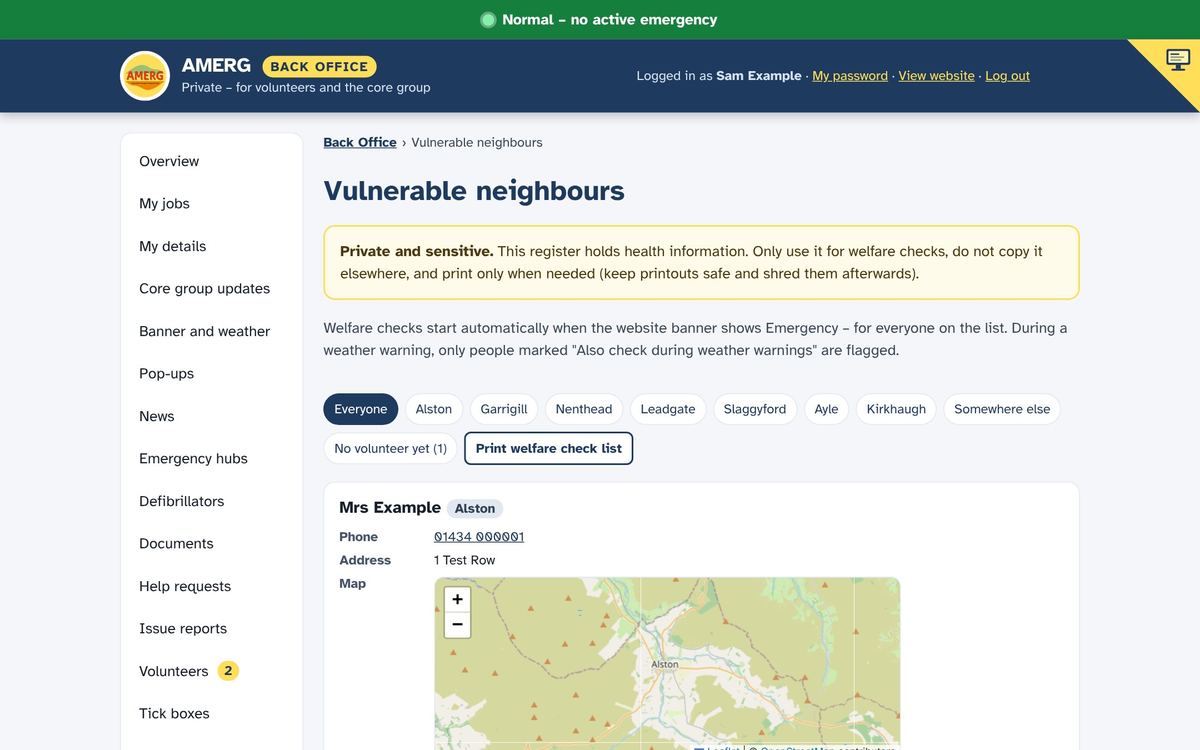
  • PrivateOnly the AMERG core group can see names, addresses and health notes.
  • Named loginsEach person has their own login. Volunteers only see their own jobs.
  • Only used for emergenciesWelfare checks and arranging help – nothing else.
  • PhotosPhotos sent with reports have their hidden location data removed.
Example of the Vulnerable neighbours register in the Back Office
Example only – a made-up person.

Slide 20 of 21

Our local emergency line

01434 647247Answered when AMERG is active

  • Life in danger?Call 999 first.
  • Power cut?Call 105, not us.
  • Medical, but not urgent?Alston Medical Practice 01434 381214, or NHS 111.

We are unpaid local volunteers, not a medical service. At other times the line may not be answered.

Slide 21 of 21

Three things to do this week

  1. Save the websiteOpen amerg.org on your phone and add it to your home screen.
  2. Get your storm cupboard readyPrint the checklist on the Prepare page.
  3. Volunteer, or register someoneOffer to help, or put someone on the welfare check list.
QR code that opens amerg.org
amerg.orgThank you for looking after each other.